Pages

Pages

Wednesday, October 30, 2013

Site Updates

Site Updates


PixelKit giveaway – 3 lucky winners for an annual subscription to premium UI kits and design resources

Posted: 29 Oct 2013 06:39 PM PDT

Contests
PixelKit giveaway - 3 lucky winners for an annual subscription to premium UI kits and design resources

Photoshop Tutorials: Free Download: 5 Effects for Wedding Photographers

Photoshop Tutorials: Free Download: 5 Effects for Wedding Photographers

Link to Photoshop Tutorials

Free Download: 5 Effects for Wedding Photographers

Posted: 29 Oct 2013 10:56 PM PDT

Video Preview


Wedding Effects Preview

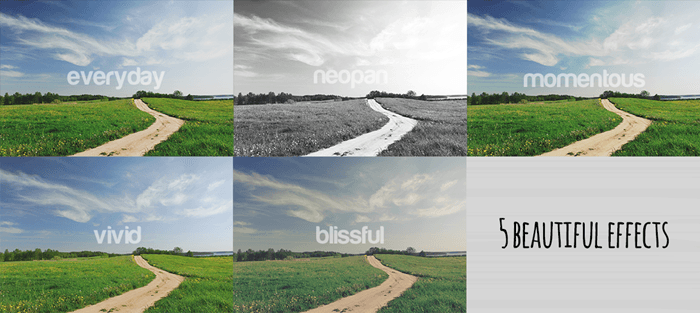
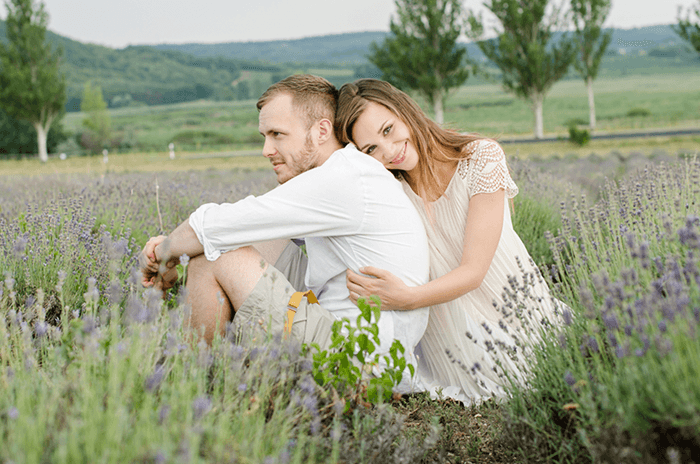
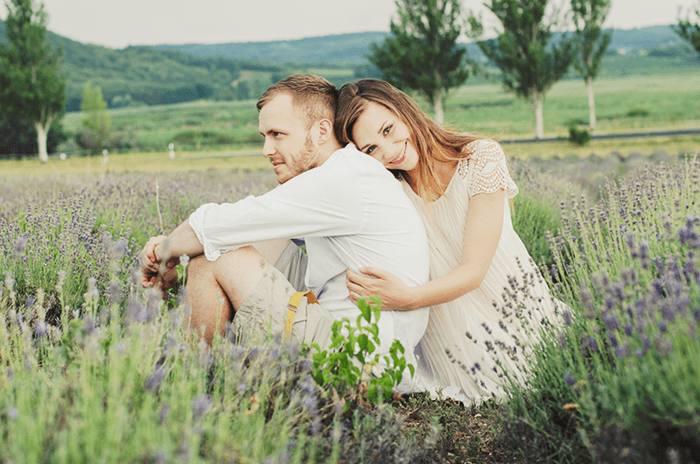
These Photoshop actions are easy to use. Simply play the first action then pick from any of the 5 effects. If you're a SparkleStock member, you get 7 extra effects for a total of 12 photo effects. All layers are fully editable and you can easily adjust the fade by changing the opacity of the "Fade" layer.

5 Beautiful Wedding Effects

5 beautiful effects

image
image

Image Credits: Young couple having fun, love concept — Stock Photo © loriklaszlo

Download Wood Panel Textures

5 Wedding Effects

12 Wedding Effects

Monday, October 28, 2013

Photoshop Tutorials: Create a Halloween Photo Manipulation in Photoshop

Photoshop Tutorials: Create a Halloween Photo Manipulation in Photoshop

Link to Photoshop Tutorials

Create a Halloween Photo Manipulation in Photoshop

Posted: 28 Oct 2013 12:00 AM PDT

Preview of Final Results
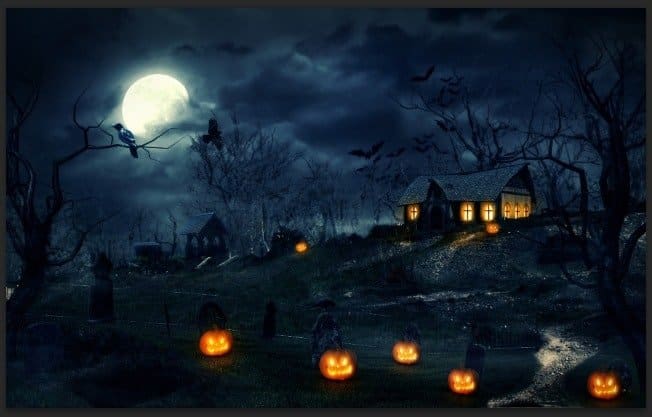
result


Tutorial Resources


Step 1 – Create A New File

Open Photoshop and create a new document with Width 1920 and Height 1200, leave the Background Contents as Transparent.
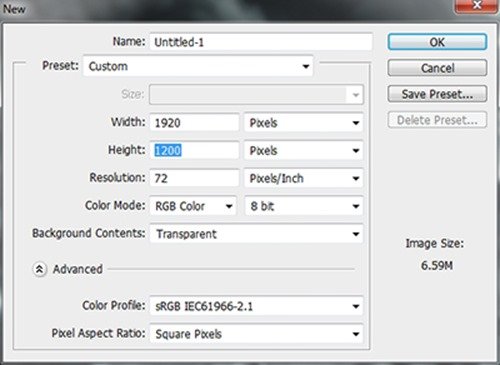
step 1


Step 2 – Create The Sky

Firstly we will work on the sky first by combining two different images : Moon Sky and Dark Cloud Sky. Place the Dark Cloud Sky into the document first by go to File -> Place, by doing this the image will be set as Smart Object – allows you to work with it indestructibly, this step should be used all along this tutorial for every images. You can also transform any normal layer to Smart Object by right clicking on it and select Convert to Smart Object.

Resize the Sky like below. (Ctrl + T to open Transform tool)
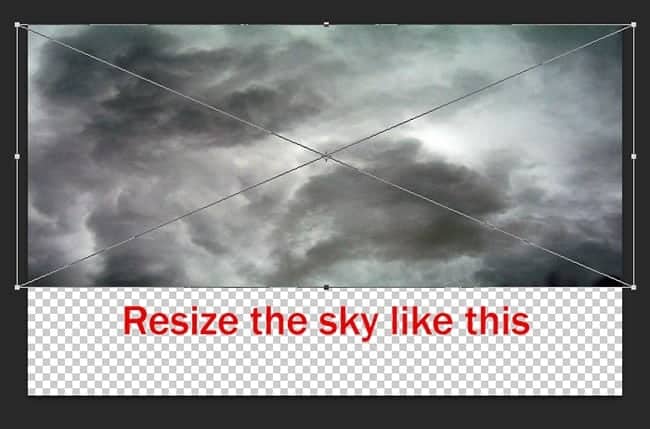
step 2a

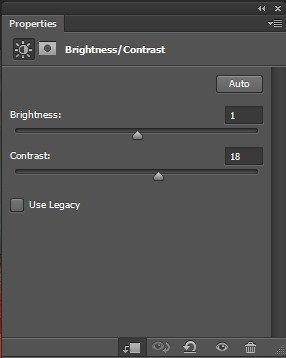
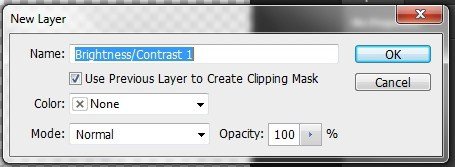
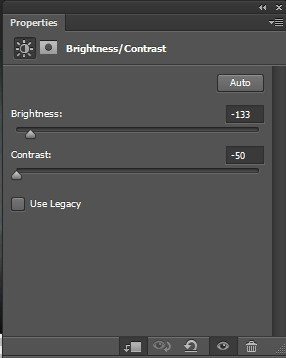
Adjust the Sky a little bit with Brightness&Contrast (Layer -> New Adjustment Layer -> Brightness&Contrast). Remember to tick on the box “Use Previous Layer To Create Clipping Mask“, by this way the adjustment layer will only be used on the Sky layer without affecting other layers below.
step 2a1

step 2b

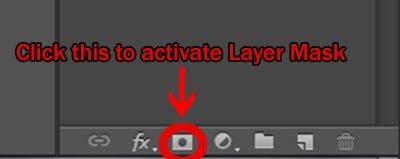
Next, open the Moon Sky image and apply Layer Mask. Layer Mask is a great way to erase unneccesary part on an image and you can still restore the erased part after that if you need to. Quick access to Layer Mask via the panel below the layer area.
step 2b1

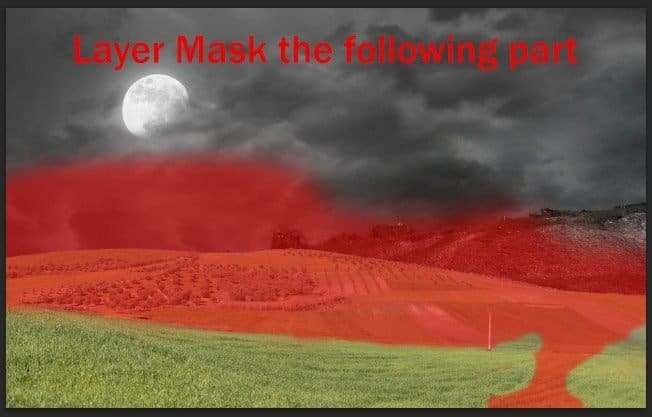
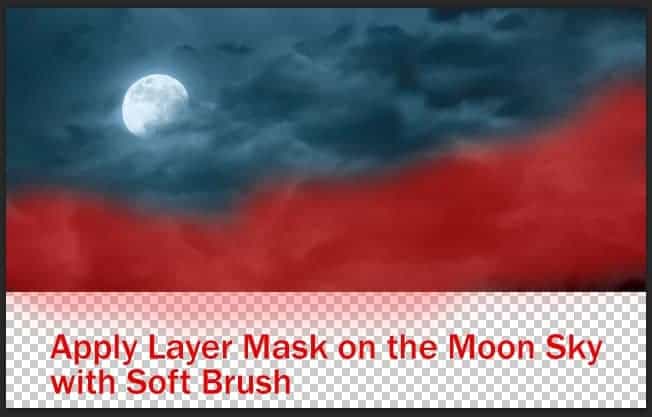
Now grab a big Soft Brush with Black color and start painting on the Moon Sky’s layer mask, the masking part will be indicate with red color. Mask all the white part of this Moon Sky layer.
step 2c

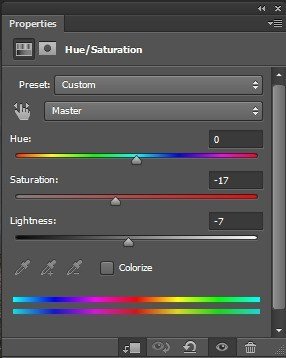
Apply Hue/Saturation adjustment layer to the Moon Sky layer.
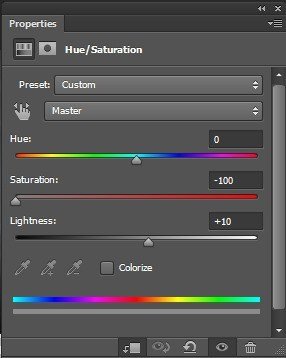
step 2d

And we’re done with the sky, here is the result.
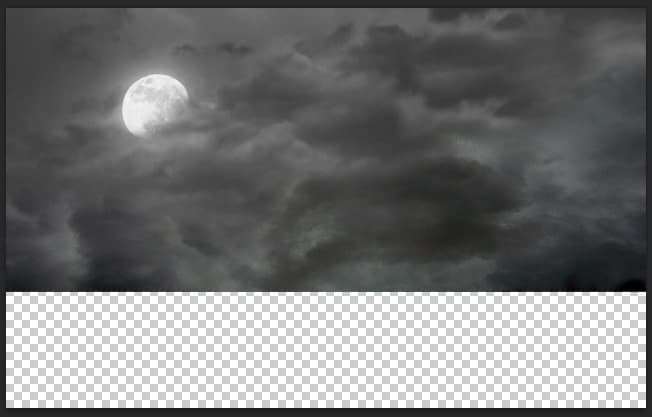
step 2e


Step 3 – Create the Ground

Now we will make the ground with a Hill part and a Field part. Open the Hill image first, use Quick Selection Tool and select the hill like this.
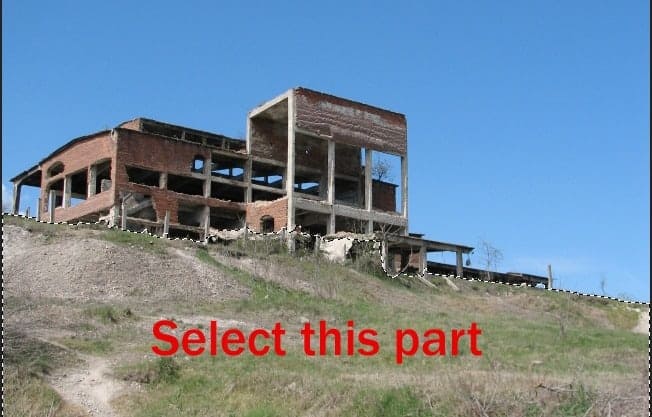
step 3

Place the selected part into our document, rotate it to the right like this.
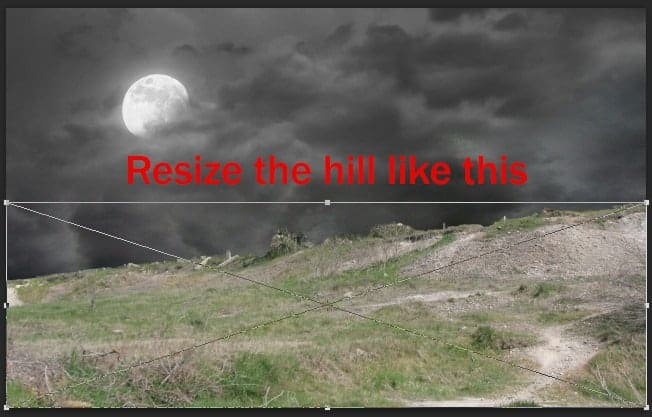
step 3a

Apply these following adjustment layers to the Hill.

Brightness/Contrast
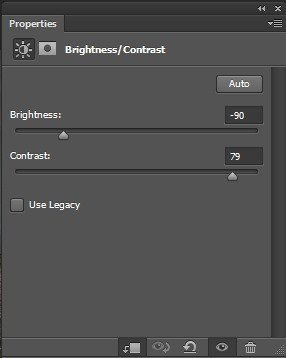
step 3b

Hue/Saturation

step 3c

And we will have the Hill look like this
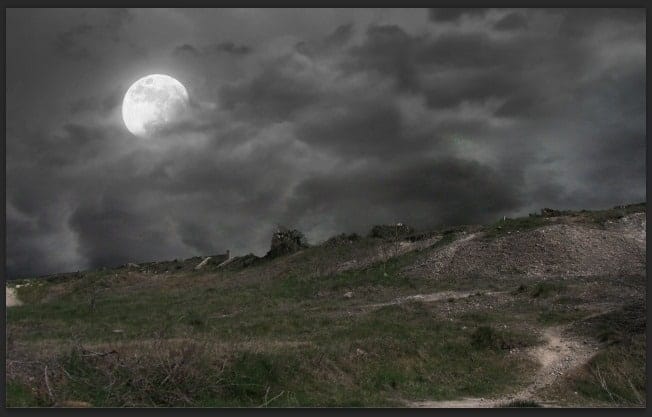
step 3d


Step 4 – Adding the Field

Open the Field image and select the field like this.
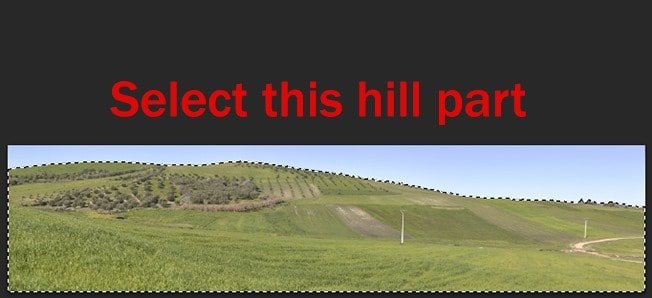
step 4

Place the selected part into the document
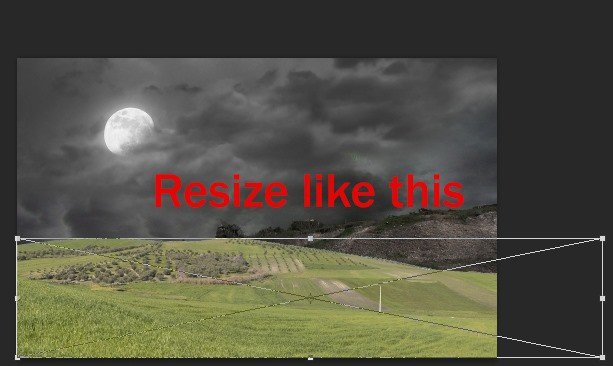
step 4a

Apply Layer Mask to the Field image.

step 4b

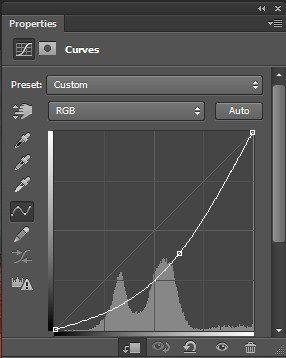
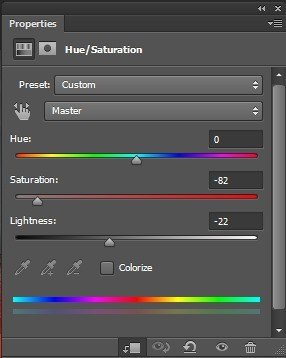
Continue adding some adjustment layers to the Field.

CurvesHue/SaturationBrightness/Contrast

step 4cstep 4d

step 4e

And we’re done with the basic background image for this piece.
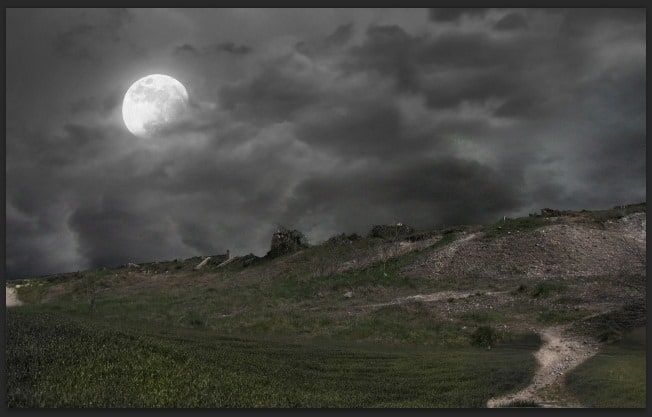
step 4f


Saturday, October 26, 2013

Site Updates

Site Updates


Tutorial to make an Art Deco poster in Photoshop

Posted: 25 Oct 2013 03:25 AM PDT

Tutorials
Learn how to make an art deco poster with this easy photoshop tutorial

Thursday, October 24, 2013

Photoshop Tutorials: Free Download: 3 Wood Panel Textures

Photoshop Tutorials: Free Download: 3 Wood Panel Textures

Link to Photoshop Tutorials

Free Download: 3 Wood Panel Textures

Posted: 22 Oct 2013 08:13 PM PDT

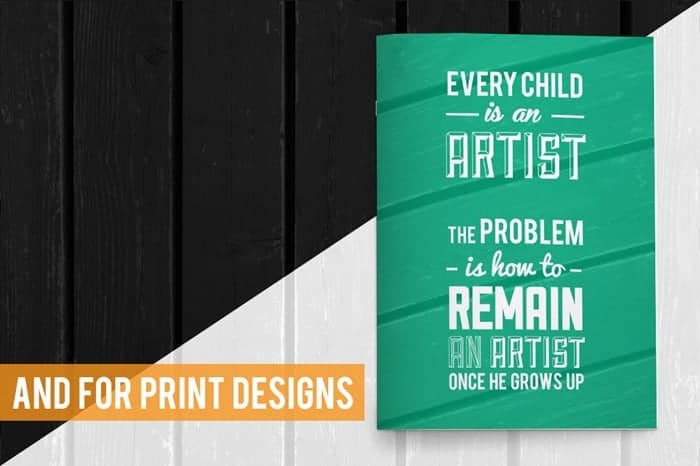
Wood Panel Textures Preview

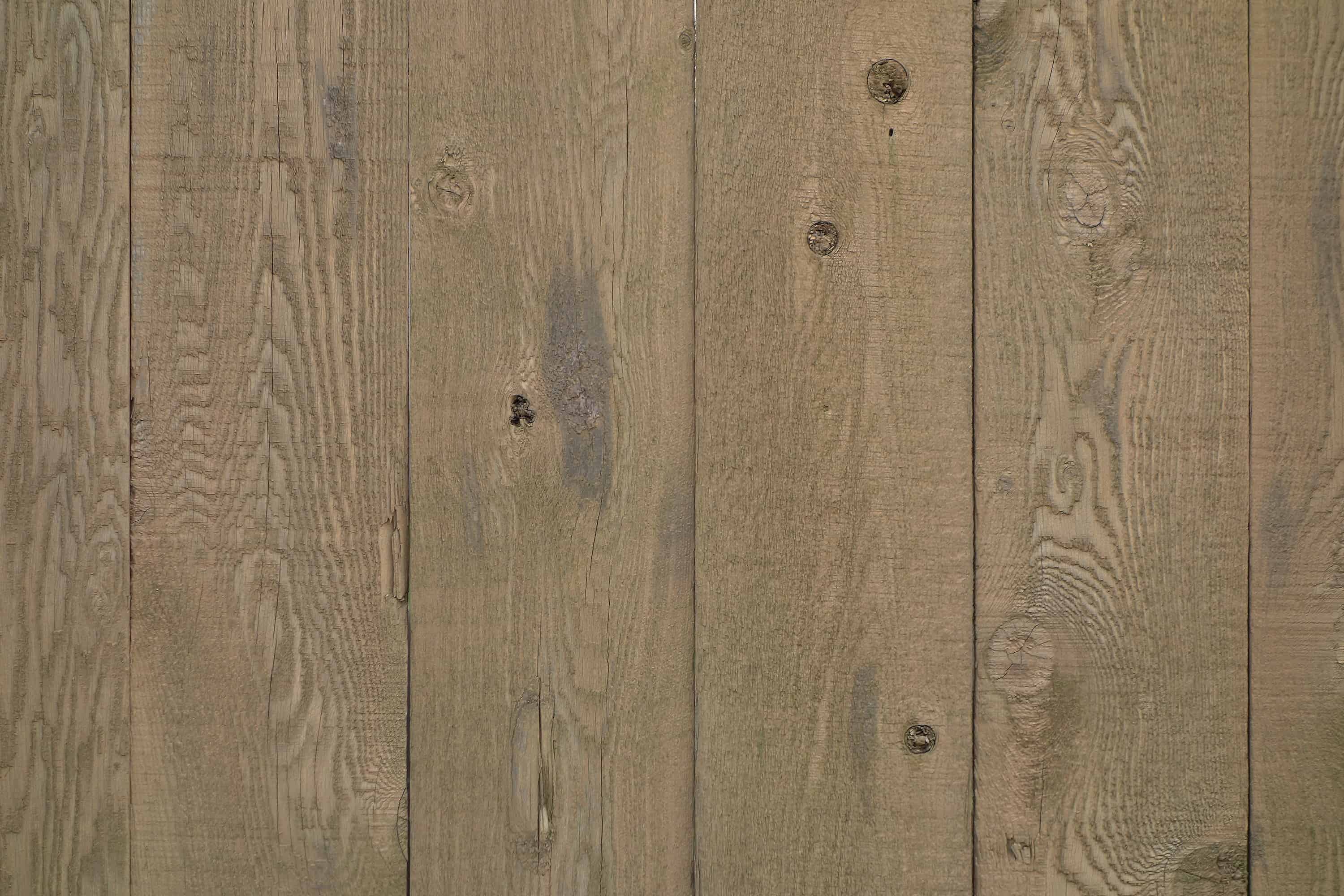
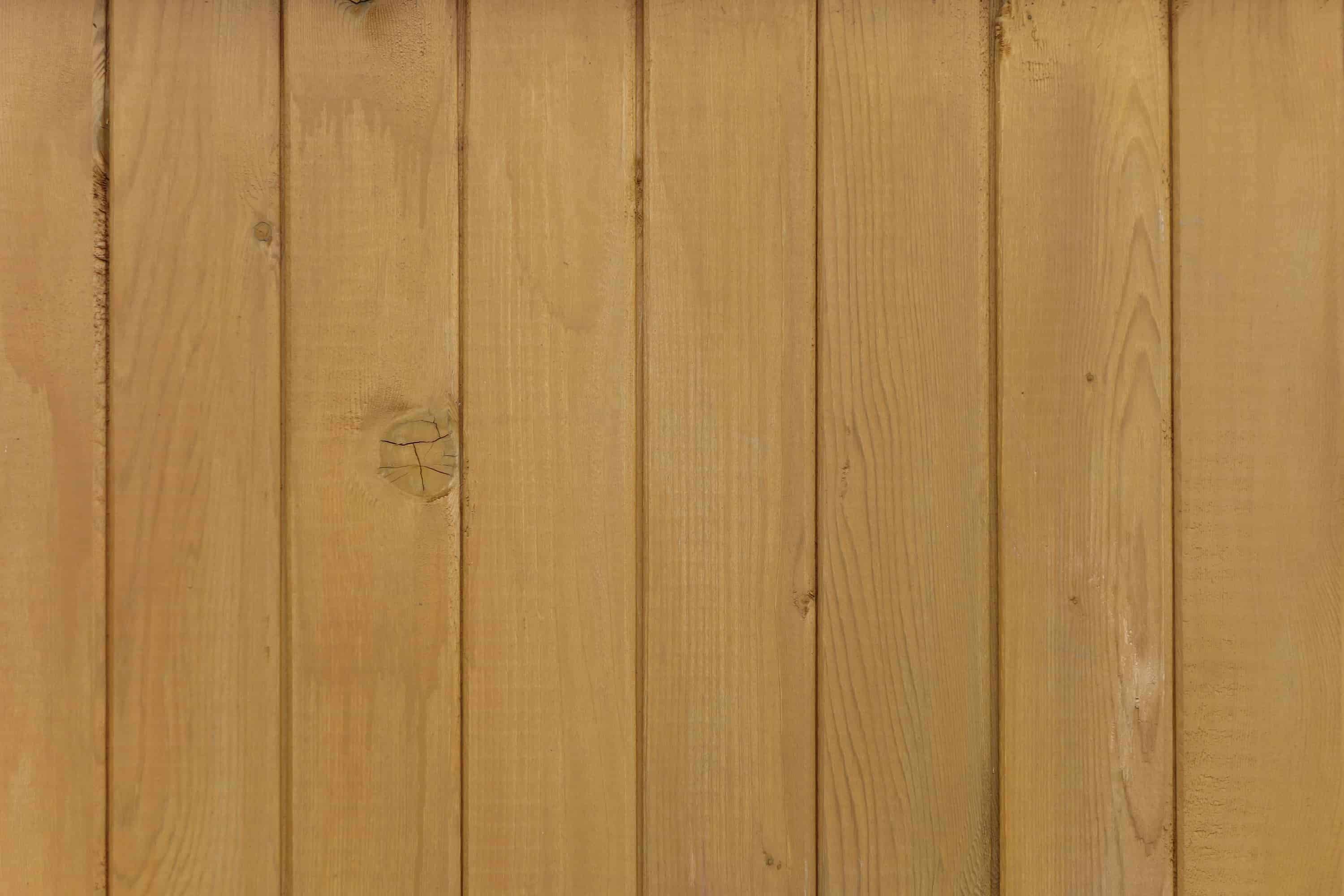
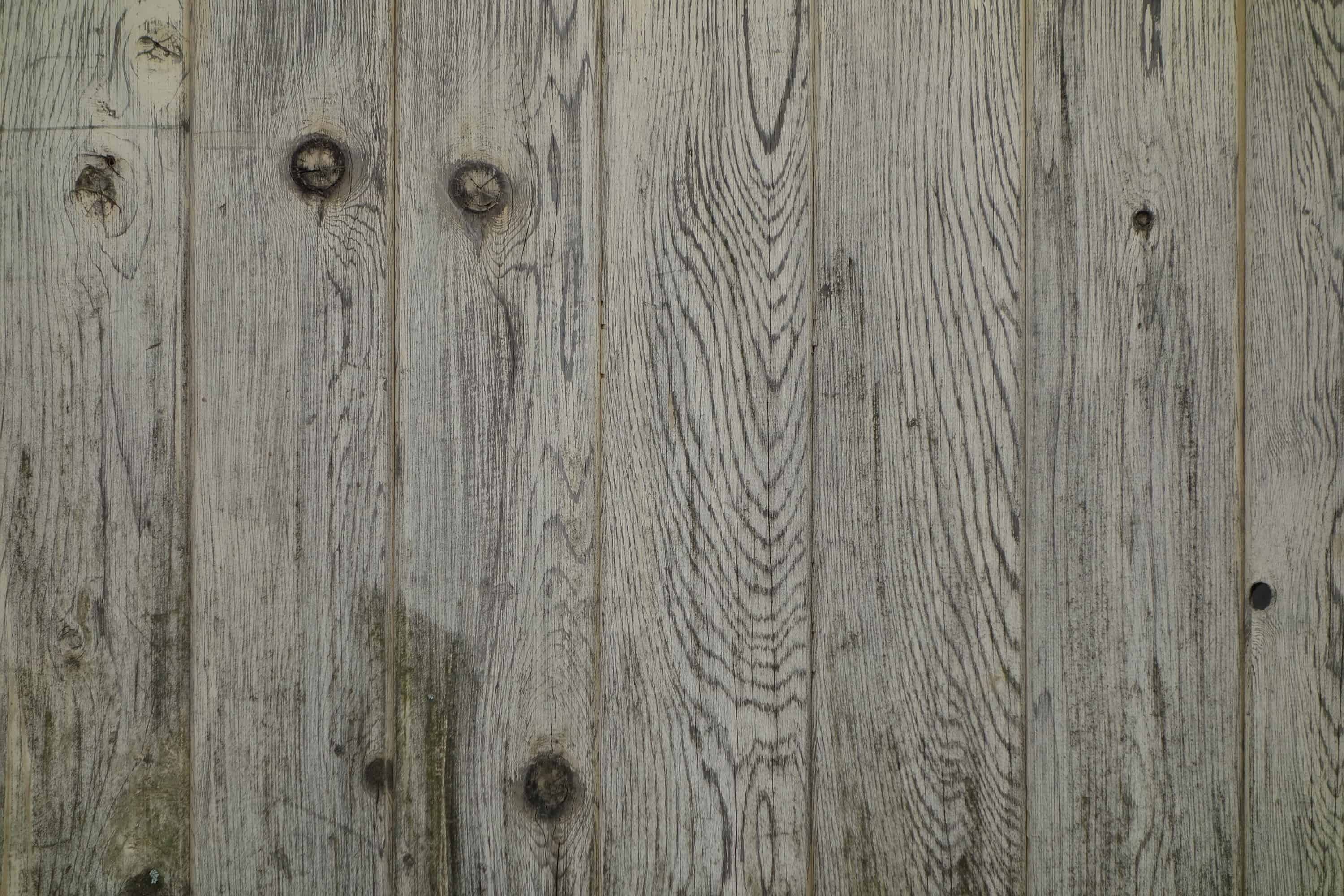
There are 3 high-res textures you can download. An additional 7 wood panel textures are available if you're a SparkleStock member.

image

Title-4

Title-5

Wood Panel 03
Wood Panel Texture 1

Wood Panel 01
Wood Panel Texture 2

Wood Panel 02
Wood Panel Texture 3


Download Wood Panel Textures

3 Wood Panel Textures

10 Wood Panel Textures